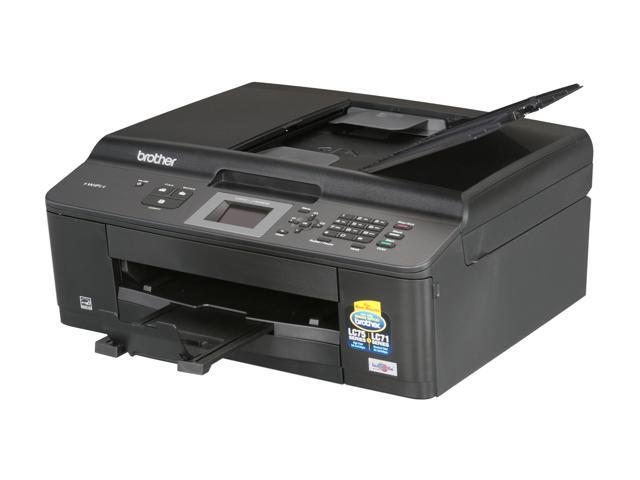
this new printer .. seems to be alive

Topic by hmskl'd

Hmskl'd

Home Forums Cool S~~~ & Fun Stuff this new printer .. seems to be alive

This topic contains 6 replies, has 5 voices, and was last updated by WPL  WPL 9 months, 3 weeks ago.

Viewing 7 posts - 1 through 7 (of 7 total)
  • Author
    Posts
  • #896506
    +4
    Hmskl'd
    hmskl’d
    Participant
    6406

    so I finally broke down and got a new printer .. it’s about a year or two overdue as the old one needed replacing
    .. printers have always intrigued me because of what they do in a seemingly simple plastic enclosure

    i have to admit .. this new plastic device is alive, i believe it posses some form of intelligence
    normally wouldn’t post about anything as common as setting up a printer .. however, I had a personal revelation
    it made me sit back and pause for a moment .. listening to this thing “set-itself-up”, and thinking about a topic

    the reason for this post is simple .. and here it is
    if the future AI Bot makes me smile as it does it’s things .. just as the mx922 made me smile today
    i’ll be one happy customer

    #896562
    +3
    Zoidberg
    Zoidberg
    Participant
    965

    Run, damn it, run, printers are from hell.

    #896563
    +3
    Autolite
    Autolite
    Participant

    Does anybody still sell ‘Lexmark’? I know they’re shhit but I haven’t seen any new ones anywhere on the shelves for quite some time now…

    #896642
    IMickey503
    iMickey503
    Participant
    12465

    ‘Lexmark’? I kn

    In just about any Pro office or mass copying deal. Think is, Consumer means just that.

    EPSON got such a bad rep for Clogging, they just gave up and started selling “LIFETIME printers”

    HP is still the REP for Work horse stuff. Mainly Office crap for people that want an OFFICE look.

    Brother and samsung are the Mid tier business laser printer folks.

    Canon is still the printing image king.

    mx922

    It also prints CD’s too! And the INK is VERY CHEAP. If you use a S~~~ TON OF it. ANd you just do crap printing, not photos, then just get the generic ink. But if you actually want GREAT PHOTOS? Do not bother getting second hand or 3rd party inks. I gave away two MX922’s to people and they LOVE THEM.

    It’s actually the one printer that just keeps going and going. FOr the first year if ANYTHING HAPPENS just call up Canon and they will ship you a new one. No questions asked.

    I have LOTS of KIDS that LOVE TO PRINT!! So… I buy the Amazon generic ink. And I got the Best model there is out their for photos. I got the older model so it can take the older ink carts like your mx922 does. But I have the Gray Ink cart as well for the best photos money can buy and print at home.

    I also love the look of the machines. In fact the OEM inks I have used , even with the photos being OUTSIDE in the rain, they STILL look great. No fade.

    Its pretty amazing .stuff. THe cool think about the model that you have is that it has that document scanner. And man, it works SUPER! Stick with the OEM firmware for most stuff. It usually works best that way. Thanks to WINDOWS.. OH lordy. I just use a Print server if I can. With REAL adobe Post script etc.

    Also NEVER print on DRY heads. EVER! THose print heads when they print get as hot as the SUN. THat’s no joke bro. The Piezo heads get so hot to push that ink out of that head on to the paper is crazy how they made injets.

    A quick bit of trivia. HP Laser Printers are just Canon printers. No kidding. Canon came up with the tech, and they did it better then anyone. So HP uses Canon patents and sometimes even Canon hardware to make the printers. That is why some canon Toner works on HP printers.

    If you are going to do LARGE print jobs of Paper like I do often with the kids, Or when printing “Its Okay to be White” posters or MGTOW content, then I get this ink here:

    For most folks, this might last you a year. But take my advice, Canon ink is BEST for the printer. Never clogs. Never does any of the bad stuff cheap ink will do. And DO run a Print job every 2 weeks or so just to keep the print heads in tip top shape. Don’t do cleaning cycles. It does them automatically.

    BUT DO THE ALIGNMENT PROCESS! And be EXACT ABOUT IT!

    Also HEAT is the ENEMY of Ink Jet. Keep it in a cold place. Also, if you work around the OLD skool Laser Printers, Keep the window open. I use to install Local Air purifiers in the Print rooms. Why? Those emissions from laser add up. Not good for lungs.

    Also, Wireless printing does work Really well on Canon. The MX922 has the BEST built in print server of ALL the models. . So it hardly ever crashes. If you hook it up to Ethernet, it will NEVER go offline. (Damn near)

    Also, DUST is your ENEMY with Inkjet printers. KEEP IT CLEAN BOY, or you will get all sorts of stupid issues.

    As far as paper, Try not to get that CHEAP walmart crap. It just Clogs the heads with dust and crap. And its so thin, it just kills the rollers since they just scrape and do “mini burnouts” on the paper trying to feed it.

    I was at a Good will and I was at a store and I saw CANON paper. I BOUGHT ALL OF IT! EVERY THING THEY HAD. I even asked if they had any in back. Bought that too.

    I could start a small Photo print shop if I needed to.

    I also used Snapfish in the past and Walgreens to print my photo’s. But the cost got so high, I said to hell with that.

    You are all alone. If you have been falsely accused of RAPE, DV, PLEASE let all men know about the people who did this. http://register-her.net/web/guest/home


    #896661
    Autolite
    Autolite
    Participant

    I’ve always used various models of scrap Lexmarks but only because I could get them for dirt cheap or for free. What I like about the Lexmarks is that their drivers are plentiful and easy to find.

    What I don’t like about the Lexmarks is that the paper feed failure and paper jamming seems to be nearly universal across all models. I mean how difficult can it be to engineer a reliable paper feed?

    A buddy of mine says that he gonna give me his old ‘Brother MFC-J425W’. It is suppose to be a good machine…

    jpeg

    #896744
    IMickey503
    iMickey503
    Participant
    12465

    Brother MFC-J425W’. It is suppose to be a good machine…

    Man if you were in the continental USA, I would send you something.

    If you ONLY do Black and white printing? Get a Brother. Laser Printer.

    https://www.walmart.com/ip/Brother-HL-L2300d-Compact-Laser-Printer-with-Duplex-Printing/40334928?wmlspartner=wlpa&selectedSellerId=0&adid=22222222227027996816&wl0=&wl1=g&wl2=c&wl3=59475883929&wl4=pla-92788325049&wl5=9061079&wl6=&wl7=&wl8=&wl9=pla&wl10=8175035&wl11=online&wl12=40334928&wl13=&veh=sem&gclid=Cj0KCQjw4qvlBRDiARIsAHme6ouA-q-l158XI_pZb5HuRIaQV0ht0lJVOuKsVEYGS3BAaq9s9_cJwBcaAsSxEALw_wcB

    This guy here, the tonor cars are like 14 bucks and 25 for one that will last you the rest of your life. I’m not kidding.

    There is a reason why you see these at all the Motels/Hotel business offices. When I was on the road, I never saw one that broke down ever. Not only that but the Toner on these guys seems to last about forever. Just keep it somewhat dust free and you should be fine. Like in a small cabinet. Most people just use USB to hook up their printers and that is perfect for this model as the driver stack is rock solid. Oh, And it’s internals are also Canon “Inspired” parts.

    If you only need black and white, this is your man.

    Or the MX922 is the best deal out there. If you happen to come across the boarder let me know.

    You are all alone. If you have been falsely accused of RAPE, DV, PLEASE let all men know about the people who did this. http://register-her.net/web/guest/home

    #896765
    WPL
    WPL
    Participant
    2390

    I had an older-than-dirt Epson at one time; it was probably made around 1999, and it was given to me when its original owner bought a newer model. One of the fancy “five colors in one cartridge, plus separate black” ink systems. When the print heads weren’t clogged, and when the alignment was setup just right, it was fantastic. I spent more time unclogging the heads than I did printing, though. Fortunately, there was no ink tank validation system like on some newer printers, so I could keep old tanks around and fill them with distilled water for running the cleaning cycles.

    I held onto the machine for two reasons: 1.) it could accommodate wider paper than usual (I think the maximum was something like 13″ wide), and 2.) its construction made it a somewhat popular candidate for an externally-fed continuous ink system — which I never got around to buying or installing.

    If you only need to print black-and-white, I agree with iMickey503: an inexpensive laser printer is an excellent choice.

Viewing 7 posts - 1 through 7 (of 7 total)

You must be logged in to reply to this topic.